How to Use iMovie 11': Snap to Beats
7,724 views (2012-03-04)Upload date: 2010-12-22⏱ 1:47👍 5 · 👎 4Science & Technology
Status on YouTube
not checked
not checked yet
Appeared on
Listed 29 times in captured pages, on 27 different lists (suggested videos, channels, playlists…). Earliest first:
- Suggested next to: How to Use Apple iMovie : Exporting Video to a Hard Drive in iMovie · capture of 2012-01-29 · CC-MAIN-2012 · nearest Wayback copy
- Suggested next to: iMovie Picture-In-Picture, Side-By-Side and Cutaways (MacMost Now 471) · capture of 2012-02-23 · CC-MAIN-2012 · nearest Wayback copy
- Suggested next to: How To Make an Imovie slideshow with music. · capture of 2012-02-25 · CC-MAIN-2012 · nearest Wayback copy
- Suggested next to: Gommapiuma · capture of 2012-02-25 · CC-MAIN-2012 · nearest Wayback copy
- Suggested next to: iMovie 11 Tutorial - Importing Windows Media to iMovie · capture of 2012-02-25 · CC-MAIN-2012 · nearest Wayback copy
- Suggested next to: iMovie 11 Tutorial - Working with Audio - The Basics · capture of 2012-02-26 · CC-MAIN-2012 · nearest Wayback copy
- Suggested next to: How to Beat Mark in iMovie · capture of 2012-02-26 · CC-MAIN-2012 · nearest Wayback copy
- Suggested next to: Learn iMovie 11 - How to Use the Instant Replay Feature · capture of 2012-02-27 · CC-MAIN-2012 · nearest Wayback copy
- Suggested next to: Christmas 2010 Trailer · capture of 2012-02-27 · CC-MAIN-2012 · nearest Wayback copy
- Suggested next to: Snap Beats · capture of 2012-02-27 · CC-MAIN-2012 · nearest Wayback copy
Description
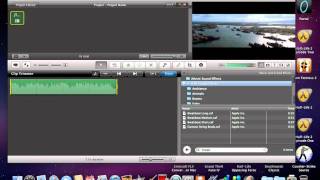
Follow these steps to activate the snap to beats feature in iMovie:
1. Open a new project.
2. Find the music that you would like in your iMovie and drag it in.
3. Click on "View" at the top and make sure that "Snap to Ends", "Snap to Beats", and "Audio Skimming" are all enabled.
4. Click on the gear that appears on the music file and select "Clip Trimmer".
5. Go through the entire song and press the "m" key when you would like to add a beat and make the image change.
6. Add as many images as there are beats.
You can then export the movie and you are done. Make sure to contact me by going to www.technosquirrel.com or leaving a comment if you need more help.
1. Open a new project.
2. Find the music that you would like in your iMovie and drag it in.
3. Click on "View" at the top and make sure that "Snap to Ends", "Snap to Beats", and "Audio Skimming" are all enabled.
4. Click on the gear that appears on the music file and select "Clip Trimmer".
5. Go through the entire song and press the "m" key when you would like to add a beat and make the image change.
6. Add as many images as there are beats.
You can then export the movie and you are done. Make sure to contact me by going to www.technosquirrel.com or leaving a comment if you need more help.
Tags
Other titles
- How to Use iMovie 11': Snap to Beats
View history
list (suggested, channel, search…)
Captures with a view count: 16 (the watch page and the lists that showed the video).
Archive captures (1)
| Captured | Source | Captured URL | Original | Status | Views | Likes / dislikes |
|---|---|---|---|---|---|---|
| 2012-03-04 | CC 2012 | youtube.com/watch?v=Y9VhdOFCCts | available | 7,724 | 5 / 4 |
The captured URL is the exact address of the page when it was captured, country host and parameters included. For Common Crawl it opens the record in that crawl's index (WARC file and offset), and the HTML button downloads the page's original code from Common Crawl. For the Web Archive it opens that very capture in the Wayback Machine. The date of a Common Crawl capture opens the nearest Wayback copy of the page.