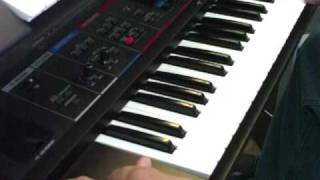
EXP Solo Sop Sax (HOW TO!)
2,225 views (2012-02-28)Upload date: 2010-12-20⏱ 1:27👍 7 · 👎 0Music
Status on YouTube
not checked
not checked yet
Appeared on
Listed 14 times in captured pages, on 14 different lists (suggested videos, channels, playlists…). Earliest first:
- Channel page:
youtube.com/user/richardrings321· capture of 2012-01-28 · nearest Wayback copy - Channel page:
youtube.com/user/ckunugap· capture of 2012-02-28 · nearest Wayback copy - Suggested next to: Boss SL-20 Slicer · capture of 2012-02-29 · CC-MAIN-2012 · nearest Wayback copy
- Suggested next to: Destination 3 Starting Point · capture of 2012-03-01 · CC-MAIN-2012 · nearest Wayback copy
- Suggested next to: Juno-Di (Combining Features) · capture of 2012-03-01 · CC-MAIN-2012 · nearest Wayback copy
- Channel page:
youtube.com/user/tonalaxis· capture of 2012-03-01 · nearest Wayback copy - Suggested next to: "InsideWeDieBEAT" - LXS (jibberBeatBattle#4) · capture of 2012-03-04 · CC-MAIN-2012 · nearest Wayback copy
- Suggested next to: Por que te abates - Instrumental - BOSSA NOVA · capture of 2012-03-06 · CC-MAIN-2012 · nearest Wayback copy
- Channel page:
youtube.com/user/japaniman23· capture of 2012-03-06 · nearest Wayback copy - Channel page:
youtube.com/user/FCImaverich· capture of 2012-03-07 · nearest Wayback copy
Description
I get asked this question A LOT. That question is "Is it possible to re-create some of Yamaha's Sweet Voices on the Juno-Di". Yes you can do this to some extent. This patch example is how to emulate Yamaha's Sweet Sop Sax. The Sweet Sop Sax is the MOST common request I get for these patches too.
You have to understand how Yamaha's Sweet Sop Sax works to really understand how to properly emulate it on the Juno-Di. Several things make it sound authentic. One is the quality of the sample. However.., there are other elements that occur within the patch (that are timed perfectly in relation to each other) that is what makes the Yamaha Sweet Sop Sax so darn "SWEET".
On the Yamaha when you press and hold the note..., at a certain point several things will happen. You'll get a volume swell, a brightening of the sound (adding more reed flavor to it).., and the patch will "self modulate". These elements when timed out correctly are what make the Yamaha Sweet Sop Sax really shine.
Using the Juno-Di YOU can set the joystick to control these elements. On default it controls modulation. You'll be making adjustments so that you can also control LEVEL and CUTOFF with the joystick. It takes practice.., but when you get it nailed.., the result will be a VERY rewarding and WAY more realistic Solo Sop Sax for the Juno-Di. Plus the Di has the edge because on the Yamaha these elements are PRE-DEFINED. Meaning they occur at the same spot and time on each note. Using the Juno-Di (YOU) get complete control over these elements.
These are my settings:
YOU WILL NEED THE JUNO-DI EDITOR PROGRAM FOR THIS!
To create this patch you'll edit Preset #61 Solo Sop Sax (Brass Category)
My title for this custom patch is "EXP Solo Sop" (EXP stands for EXPRESSIVE)
In the software editor go to the MATRIX CONTROL section
Make these settings:
-Destination 2 (pull down tab and set to LEVEL)
-Move slider for TONE 1 to ON
-Set SENS LEVEL to 25
Destination 3 (pull down tab and set to CUTOFF)
-Move slider for TONE 1 to ON
-Set SENS LEVEL to 12
These are my personal settings. You can of course adjust them to your liking. This concept doesn't just apply to this patch either. It can be used for other solo instruments such as the violin, cello, viola, ect.
You have to understand how Yamaha's Sweet Sop Sax works to really understand how to properly emulate it on the Juno-Di. Several things make it sound authentic. One is the quality of the sample. However.., there are other elements that occur within the patch (that are timed perfectly in relation to each other) that is what makes the Yamaha Sweet Sop Sax so darn "SWEET".
On the Yamaha when you press and hold the note..., at a certain point several things will happen. You'll get a volume swell, a brightening of the sound (adding more reed flavor to it).., and the patch will "self modulate". These elements when timed out correctly are what make the Yamaha Sweet Sop Sax really shine.
Using the Juno-Di YOU can set the joystick to control these elements. On default it controls modulation. You'll be making adjustments so that you can also control LEVEL and CUTOFF with the joystick. It takes practice.., but when you get it nailed.., the result will be a VERY rewarding and WAY more realistic Solo Sop Sax for the Juno-Di. Plus the Di has the edge because on the Yamaha these elements are PRE-DEFINED. Meaning they occur at the same spot and time on each note. Using the Juno-Di (YOU) get complete control over these elements.
These are my settings:
YOU WILL NEED THE JUNO-DI EDITOR PROGRAM FOR THIS!
To create this patch you'll edit Preset #61 Solo Sop Sax (Brass Category)
My title for this custom patch is "EXP Solo Sop" (EXP stands for EXPRESSIVE)
In the software editor go to the MATRIX CONTROL section
Make these settings:
-Destination 2 (pull down tab and set to LEVEL)
-Move slider for TONE 1 to ON
-Set SENS LEVEL to 25
Destination 3 (pull down tab and set to CUTOFF)
-Move slider for TONE 1 to ON
-Set SENS LEVEL to 12
These are my personal settings. You can of course adjust them to your liking. This concept doesn't just apply to this patch either. It can be used for other solo instruments such as the violin, cello, viola, ect.
Tags
View history
list (suggested, channel, search…)
Captures with a view count: 8 (the watch page and the lists that showed the video).
Archive captures (1)
| Captured | Source | Captured URL | Status | Views | Likes / dislikes |
|---|---|---|---|---|---|
| 2012-02-28 | CC 2012 | youtube.com/watch?v=H8lfQFFJIT4 | available | 2,225 | 7 / 0 |
The captured URL is the exact address of the page when it was captured, country host and parameters included. For Common Crawl it opens the record in that crawl's index (WARC file and offset), for the Web Archive that very capture in the Wayback Machine. The date of a Common Crawl capture opens the nearest Wayback copy of the page.