How-to Import LinkedIn Contacts into Google Plus Circles
6,980 views (2016-07-25)Upload date: 2011-11-29⏱ 3:00👍 699 · 👎 2★ 4.99Howto & Style
Status on YouTube
not checked
not checked yet
Appeared on
Listed 70 times in captured pages, on 32 different lists (suggested videos, channels, playlists…). Earliest first:
- Suggested next to: Define Social Networking How Does LinkedIn Work for Home Based Business Opportunities · capture of 2012-01-28 · CC-MAIN-2012 · nearest Wayback copy
- Suggested next to: Smart Show clip · capture of 2012-01-28 · CC-MAIN-2012 · nearest Wayback copy
- Suggested next to: LinkedIn-Intro · capture of 2012-01-28 · CC-MAIN-2012 · nearest Wayback copy
- Suggested next to: Facebook and LinkedIn Lecture pt 4 · capture of 2012-01-28 · CC-MAIN-2012 · nearest Wayback copy
- Suggested next to: ((Beta Feature)) LinkedIn Contacts Change.wmv · capture of 2012-01-30 · CC-MAIN-2012 · nearest Wayback copy
- Suggested next to: How to share your Google contacts · capture of 2012-01-30 · CC-MAIN-2012 · nearest Wayback copy
- Suggested next to: LinkedIn to a New Career · capture of 2012-02-02 · CC-MAIN-2012 · nearest Wayback copy
- Suggested next to: Getting started with Google Plus and Circles · capture of 2012-02-26 · CC-MAIN-2012 · nearest Wayback copy
- Suggested next to: Coke Zero & Mentos Car · capture of 2012-02-27 · CC-MAIN-2012 · nearest Wayback copy
- Channel page:
youtube.com/user/noreeenserd· capture of 2012-02-28 · nearest Wayback copy
Description
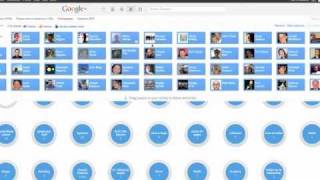
http://digf.la/sRENd5 Quick how-to import your LinkedIn connections (contacts) into Google+. When you start exploring new social platforms - like Google+ - one of the challenges is that you have no contacts there so you have to start adding them one by one.
Well with Google+ (aka Google Plus) you don't! If you can get your connections into a CSV file (Comma Separated Value) then you can import directly.
In this video I show you how to export your contacts from LinkedIn into Google plus - but the process can be used for any platform that will let you export your contacts into a CSV format.
Here's the link you'll need on LinkedIn: http://www.linkedin.com/addressBookEx...
You can also use this method for importing your contacts from your email software like Outlook
If you have any questions, leave a comment below
If you liked this video and want to keep updated of new ones you can 'subscribe' and I'll be eternally grateful if you click +1 from the sharing options below ;)
Tags
View history
watch pagelist (suggested, channel, search…)
Captures with a view count: 55 (the watch page and the lists that showed the video).
Archive captures (15)
The captured URL is the exact address of the page when it was captured, country host and parameters included. For Common Crawl it opens the record in that crawl's index (WARC file and offset), and the HTML button downloads the page's original code from Common Crawl. For the Web Archive it opens that very capture in the Wayback Machine. The date of a Common Crawl capture opens the nearest Wayback copy of the page.